One click into every project
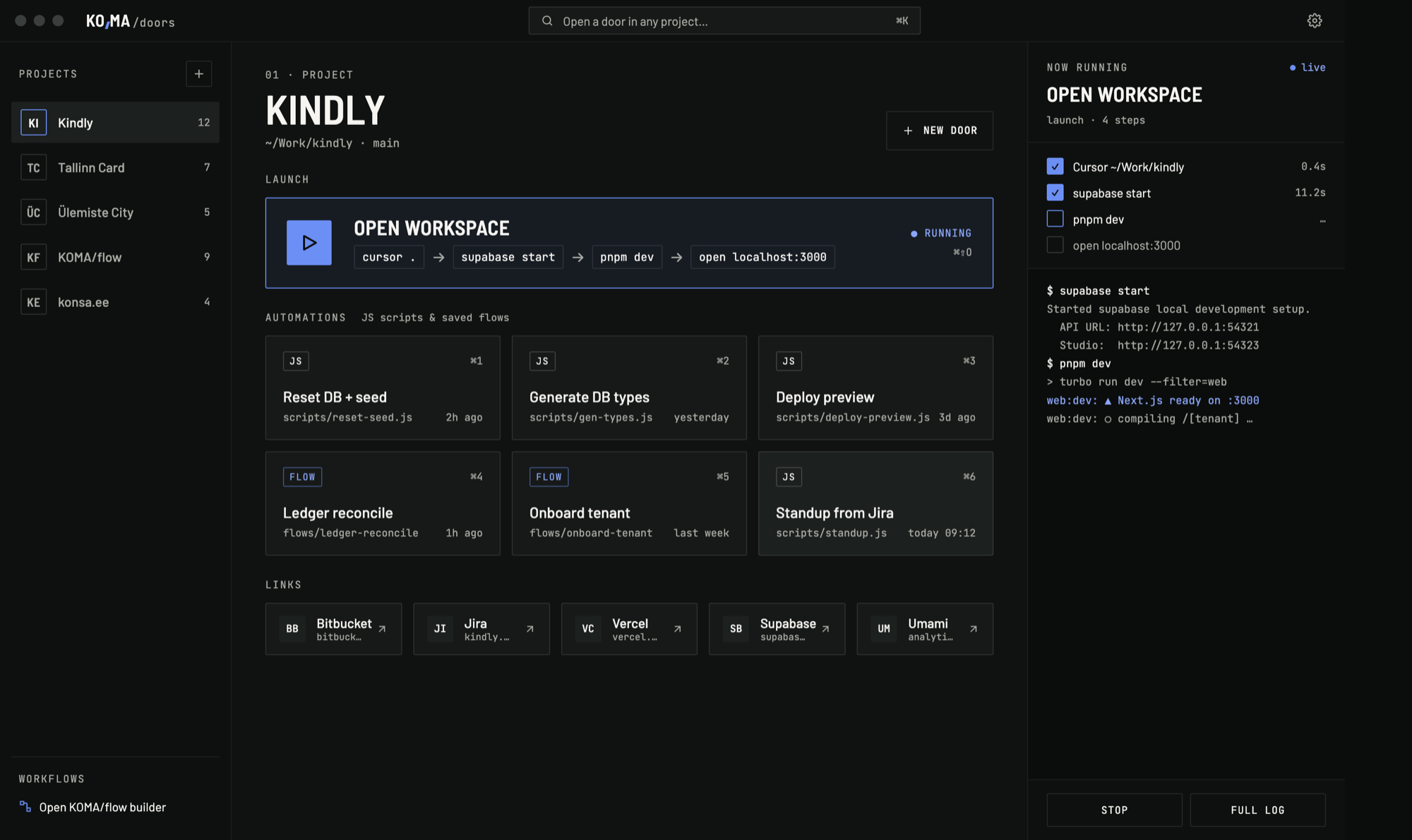
KOMA Home is a small desktop app for Mac. Each project gets doors: one click opens the editor, starts the database, runs the dev server and opens the browser, in order, every time.
Version 0.1.0 · .dmg, 9 MB · macOS on Apple Silicon
Five kinds of door
A door is whatever you do first thing when you sit down to a project. Pin it once, then it is one click, or ⌘K and a few letters.
- Project opener
- Runs steps in order: open the folder in Cursor,
supabase start,pnpm dev. Long-running steps stay up, and the next step waits until their port answers. - ScriptJS
- Runs a
.mjsor.jsfile with node in the project folder. Edit it in the built-in editor, save and run with⌘↵. - FlowFlow
- Opens a KOMA/flow workflow inside the app, or runs it without opening the builder.
- Link
- Opens a URL in your browser, or a local folder or file: Jira, Vercel, Bitbucket, the design folder.
- Note
- Plain text kept with the project. The staging password hint, the order to deploy things in.
See what it is doing
Output from every opener and script streams into the run panel as it happens. Steps tick off, the log scrolls, and the app tells you when something fails instead of showing it as done.
Stop ends the process and everything it started. Quit the app and background processes stop with it, so nothing keeps eating a port.
- ⌘K Open any door in any project
- ⌘N Make a new door
- ⌘1–9 Run the current project's automations
- ⌘S Save the script you are editing
- ⌘↵ Save it and run it
- Esc Close or go back
Pin a workflow as a door
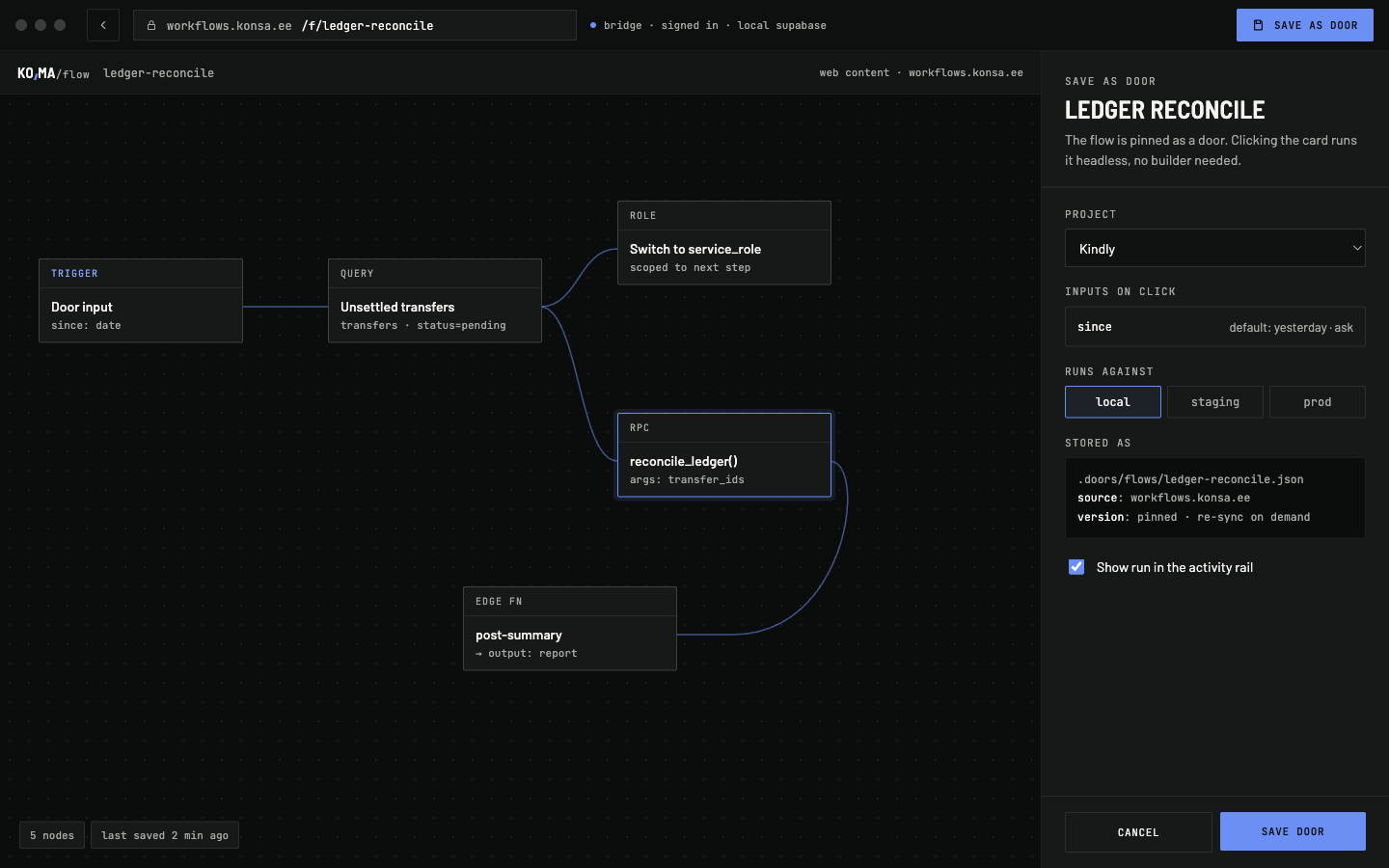
Build a workflow in KOMA/flow, then save it as a door. Clicking the card runs it headless with the inputs you chose, against local, staging or prod. Reopen it in the builder when it needs changing.
Webhooks (on start, on complete, on error) and retries are built in.
Yours, on your machine
Local
Everything runs on your Mac through your own login shell. No account, no server, nothing uploaded.
One JSON file
Projects and doors live in a single doors.json. Move it to iCloud Drive or a git repo and your setup follows you.
Full permissions
Scripts and shell steps run as you. Only add commands you would run in your own terminal.
Get KOMA Home
Download the app, open the .dmg and drag KOMA Home into Applications. It runs on Macs with Apple Silicon.
The app is not notarized yet. If macOS blocks it on first launch, right-click the app and choose Open.
Prefer to build it yourself? Clone the repo; you need Node, pnpm and Rust.
# build from source: run with hot reload
pnpm install
pnpm app

# build the .app and .dmg
pnpm app:build